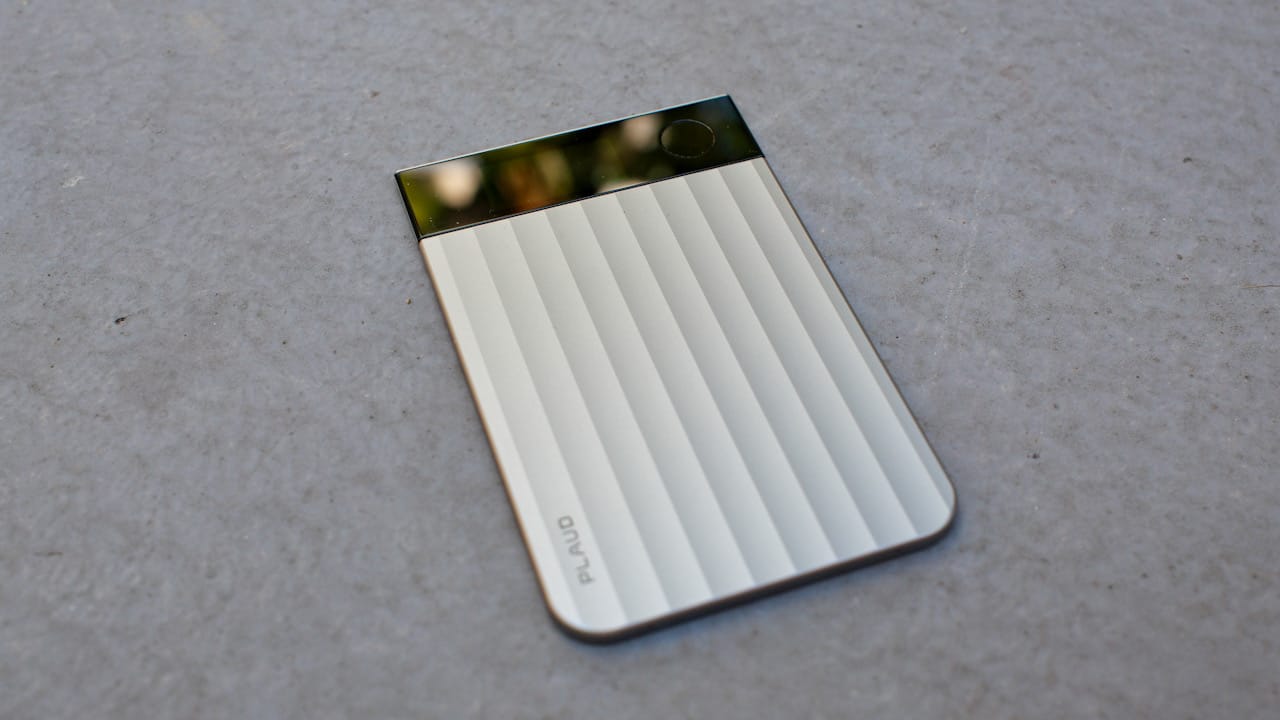
If first impressions are everything, the Plaud Note Pro knocks it out of the park. It’s slim, discreet, and suitably corporate, and doesn’t announce itself to the room. You can leave it on your phone all day and forget it’s there, but you can call on it anytime for pretty much any meeting situation — even if it’s just with yourself.
But first, the elephant in the room: why do you need a physical recorder when apps like Otter.ai and the built-in tools in Teams and Google Meet are mainstays to many meeting workflows these days?
What Plaud is, and what it is not
The answer becomes clear once you stop evaluating Plaud as a software feature or a dedicated recorder. Although Plaud is hardware-first, it isn’t limited to physical rooms.
Instead, think of it as a personal recording assistant; one that handles both in-person, online, and over-the-phone meetings, offers reliable transcriptions and summaries, and provides easy access to the results on any device without transferring files.
While the desktop app can record system audio from virtual meetings without joining as a bot, it doesn’t support collaborative features, live shared transcripts, in-meeting summaries, or calendar-linked notes within enterprise ecosystems. If that’s what you’re looking for, Plaud will feel oddly expensive and underwhelming.
However, if you’ve been annoyed by delays in receiving transcripts and summaries after meetings, Plaud fixes that by letting you record your own backup and summaries with minimum effort.
Slim, unobtrusive, and it simply works
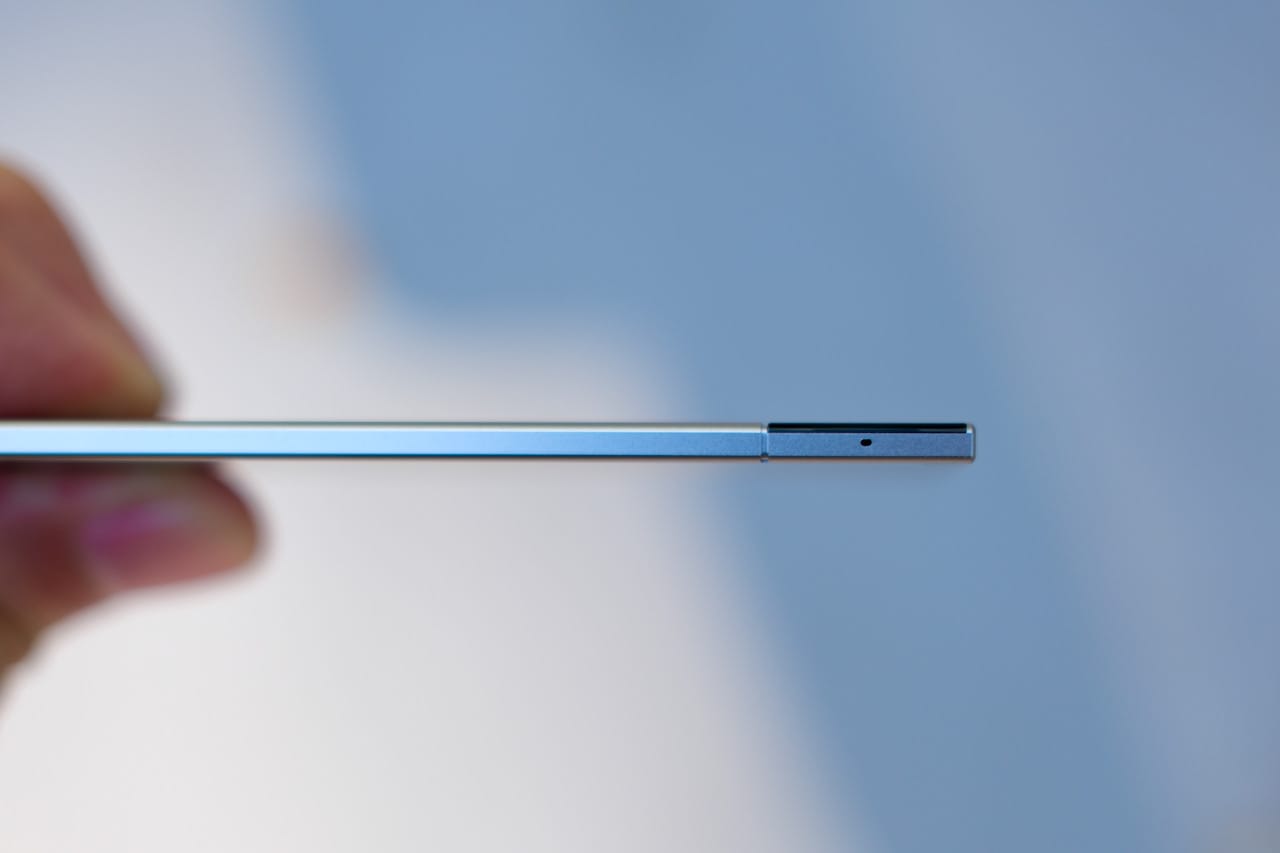
The Plaud Note Pro is only slightly thicker than a credit card.
Physically, the Plaud Note Pro is about as unobtrusive as a recorder can be — it’s 3 mm thick and weighs about 30 grams (55 grams with the case). It attaches magnetically to the back of your phone via MagSafe, ships with a leather-like case, and the ensemble is no thicker than an Apple MagSafe wallet. In other words, it doesn’t meaningfully change how the phone feels in your hand.
You can leave it attached indefinitely, and the convenience of placing your phone face down and pressing and holding to record cannot be understated. Plaud also includes a magnetic strip for phones without MagSafe, so it works with any phone.
The battery life is long enough — roughly 30 hours of continuous recording (or closer to 50 in endurance mode) — it’s hard to run out of battery unless you have a terrible habit of not charging your devices regularly. The Plaud Note Pro relies on a proprietary magnetic charging cable, which is never ideal — it will be a hassle if you ever damage it. However, the decision is understandable given the device’s svelte form.
Storage capacity and sync behaviour
The upshot is that you have enough juice — along with 64GB of storage — to record an entire conference day, online or offline, and have it sync in the background as soon as a connection is active on your phone. The only minor nitpick is that you need to sync it to your phone to access the recordings — you can’t access the files directly via USB. The path of least resistance is to turn on Private Cloud Sync, which also enables you to access the files via the web app. So I’d always want to keep both devices synced as a precaution.
If privacy is a concern, you can turn off Private Cloud Sync, move your file out, and delete it, but this severely limits the usability of Plaud Note Pro unless you don’t mind working exclusively on the phone. You can still use the AI features this way, but it also means your content is still sent to a server, so that depends on how much you trust the language model and how the company handles sensitive data.
Operation model: how you actually use it
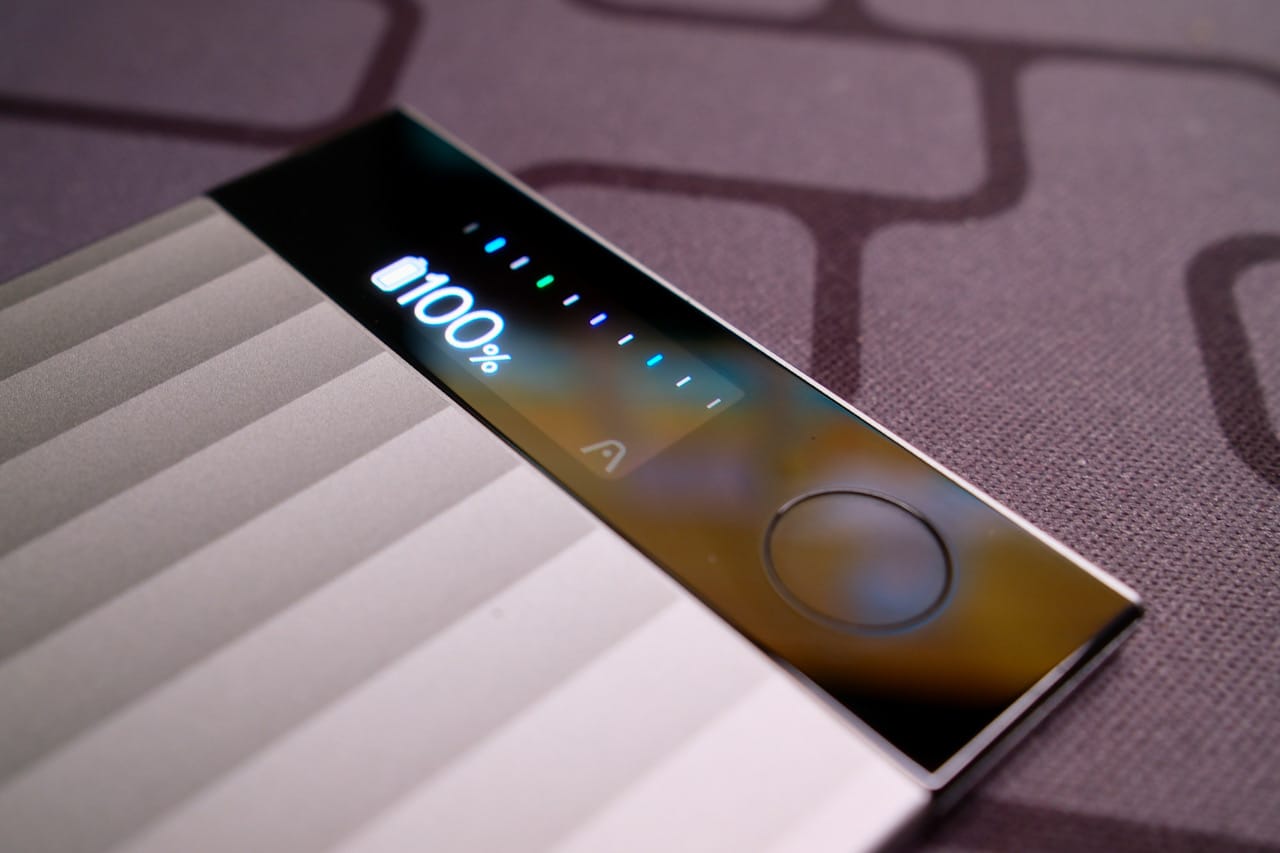
The display remains clearly readable at arm’s length.
What makes Plaud a joy to use is that it strips interactions down to the essentials. Press and hold to start or stop recording; tap once during recording to mark a significant moment; receive a visual cue from the OLED display or haptic feedback to confirm status so you’re never left guessing. Marked moments later surface as highlights when processed, and the AI usually captures the surrounding context well enough to identify why something mattered, though some subjectivity remains.
Plaud offers a variety of user-shared templates (or you can customise your own) to generate transcriptions and summaries, but the auto setting is sufficient for most general meetings. You can also edit the results in the apps or on the Plaud Web app (since no language model will get it perfect) and share the documents and audio files. There’s even the option to automate the process with Zapier if you’re comfortable getting your hands dirty.
Audio capture geared towards transcriptions
The Plaud Note Pro has a decent pickup range of four to five metres, depending on how loudly you speak. The recording quality here is best described as functional, as the audio is heavily processed to improve transcription accuracy: ambient noise is suppressed, voice frequencies are emphasised, and clarity is prioritised over a natural-sounding presentation.
However, there is a trade-off. Speakers who tend to trail off at the end of sentences may occasionally have their final words clipped — just remember that this is not an anomaly and is to be expected with noise removal tech, so adapt accordingly.
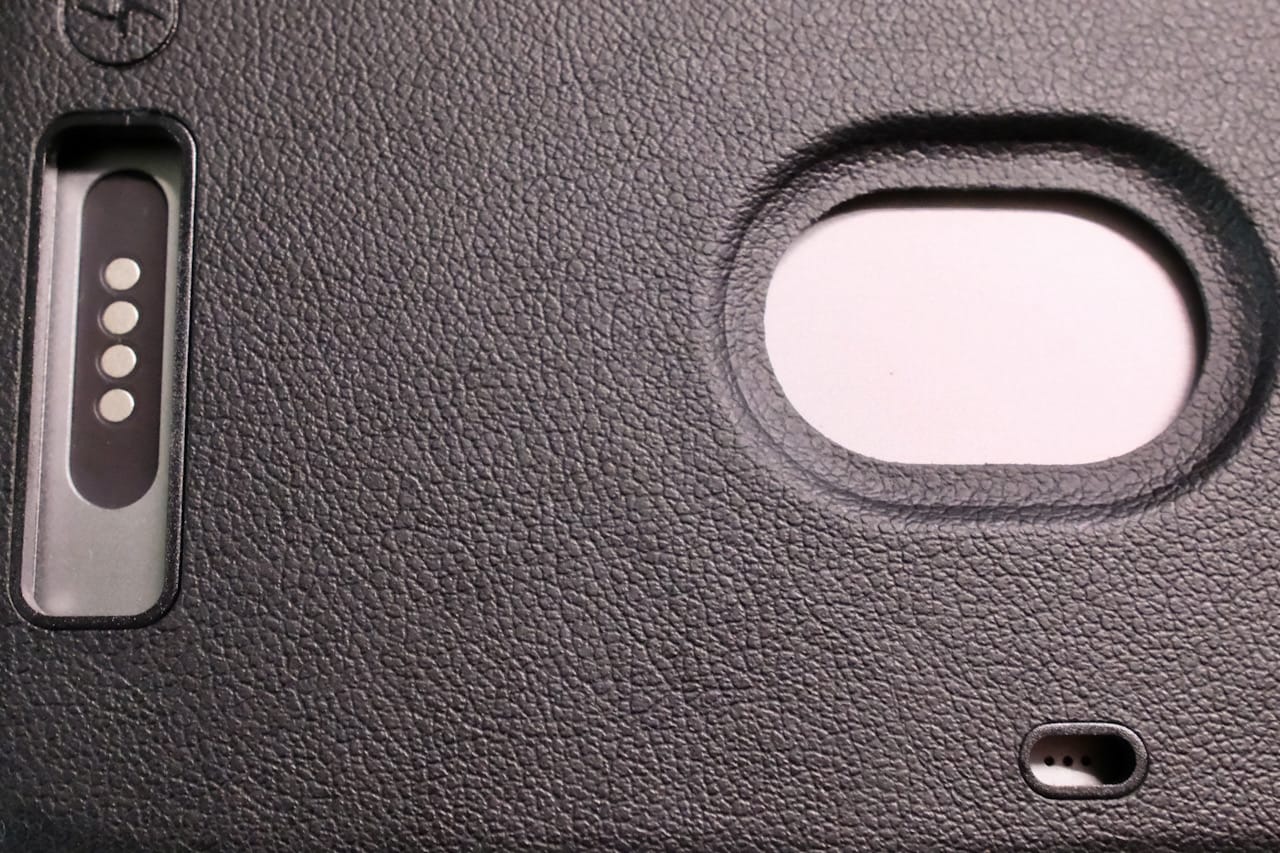
Cut-outs enable charging without removing the case, and allow the device to pick up vibrations from the phone.
It also has a neat party trick: when attached to the phone, Plaud Note Pro will automatically switch to a secondary microphone to pick up onboard vibrations when you record regular phone calls. Assuming you use it right-handed, the record button naturally sits under your index finger when you hold the phone to your ear, so it’s intuitive. However, it doesn’t do it at the system level, so you can’t record conversations while using a headset. But you don’t need to put it on speakerphone, which is neat. But you’ll need to get to a quiet place, because background voices can mess with the transcription.
Generally, it’s slightly more forgiving than using a regular phone. But the fair way to frame it is: it’s like having another phone around just for recording, but in a credit card. Transcription accuracy is strong in clean environments and holds up well for one-to-one or small group discussions.
But there are some minor limitations
There is an odd exception worth mentioning. Sometimes, though rarely in my case, English text (Singlish, to be fair) can get translated to Malay if you leave it on Auto. It is a specific cadence and accent, because it doesn’t happen often, but it triggers consistently.
This is a known issue with OpenAI’s Whisper, which is likely the translation tool used here. While considered an industry-standard open-source model for multilingual capabilities and challenging audio files (background noise and heavy accents), some language pairs (English to Malay, English to Welsh, Finnish to Portuguese, etc.) are more prone to these quirks. If you encounter this, the fix is simple: set the translation language to English.
Like everything else in this category, overlapping speakers can occasionally throw it for a loop, as do strong accents or chaotic sessions — but these limitations are more predictable than surprising. I would say this won’t beat a specialised recorder with a powerful microphone, but the Plaud Note Pro’s strength lies in the workflow.
The web app isn’t bad either
There is one downside to Plaud’s approach — it’s not ideal for taking web calls on the phone, as it will record externally, meaning you have to put it on speaker. While it’s not perfect, it will still get the job done. The problem is that you can’t use a headset.
On the other hand, the web app will not have this issue. Not only do you not have to join calls as a bot, which can be annoying for others, but you can also record calls even when using a headset, Bluetooth, or otherwise. And while you cannot integrate this with the usual suspects like Zoom to start recordings, it has a nifty feature that detects conference calls in the background and automatically records. A friendly reminder: while Singapore is a one-party-consent jurisdiction for audio recording, it’s still good practice to inform others out of courtesy, especially in professional or client-facing settings.
The sleeper feature: AI customisations
Plaud’s integration of AI is probably its best asset — granted, it uses familiar, class-leading APIs, but it already has a library of template prompts, so you don’t have to reinvent the wheel. Find a template close to what you want, then refine it for your own custom template.
Plaud offers GPT-5 and GPT-5.2, Gemini 2.5 Pro and 3 Pro, and Sonnet 4.5, each with its own strengths, so savvy users can fine-tune how the information is processed. You can also narrow the scope by industry, and you can also enter commonly used words and jargon to help with the transcription. And as with all AI tools, it is always prudent to check your transcripts and your generated notes for hallucinations — just a small price to pay for the convenience.
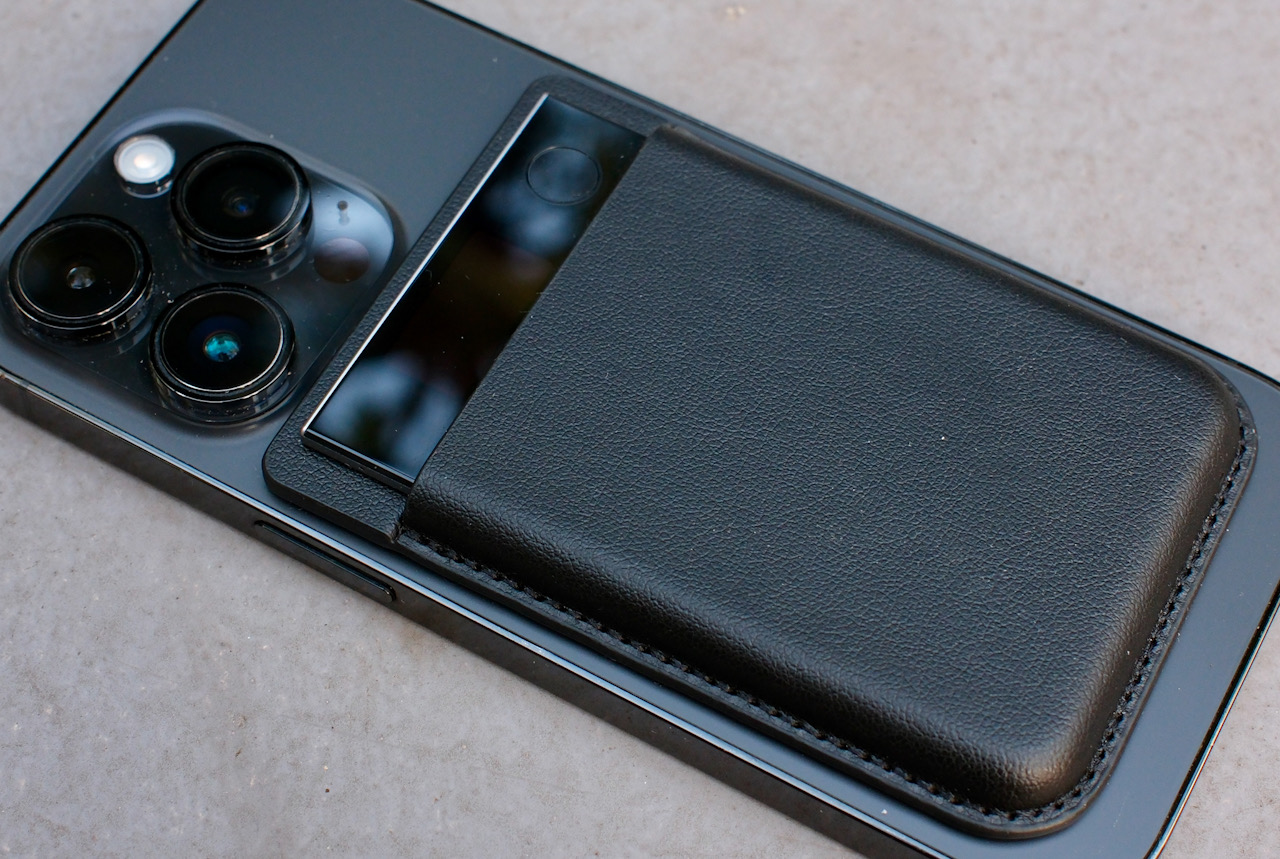
Slim and unobtrusive enough to live on your phone full-time.
One upside of Plaud’s approach is that you can Aside from marking important moments while recording physical calls and meetings, you can also take photographs with your phone while recording with Plaud Note Pro or take screenshots while using the desktop app (it’s a little on the slow side, though) that will be timestamped to the recording for additional context, as the contents of the photos will be used in generative notes. However, you won’t be able to add images after recording, which is a missed opportunity, though it is certainly under consideration for future updates.
Also, one sleeper feature for Notion users: Plaud is also one of the few platforms that let you export mind maps and Markdown easily, making it a handy makeshift notetaking tool.
However, I have to highlight one bugbear: searching for a specific file can be annoying using the Ask Plaud chatbot, because the web app is slightly different from the phone app. While you can quickly locate files by keywords on the phone, Ask Plaud on the web app will take your input like any language model would, and search for strings of text or associated context. You’re better off sorting your files into folders and naming them so you can easily thumb through them yourself.
However, this also means you can use Plaud like a regular language model, asking questions about anything mentioned in the recording or transcript and getting answers grounded in that specific conversation.
Automation and integrations
Even if, for some reason, you aren’t familiar with AI, Plaud makes it easy to get started with a template community and an extensive collection of templates for structuring meeting notes, action items, and interview-style transcripts. As mentioned, if none of what’s available can do the job exactly, you can copy a template you like and then tweak it to taste.
Plaud does not automatically create summaries, and it doesn’t transcribe in real time either. But you can automate transcription and summary creation by specifying spoken keywords as triggers and using templates— such as a meeting notes template for quick meetings.
It’s fairly basic, but for most purposes it’s good enough — this is a personal assistant-style device, not an automated workflow wizard. But I do appreciate that it does the simple things well.
That said, third-party integrations are on the way. At the moment, it only supports Zapier, and you can currently automate the export of the transcripts and summaries into a new document on, say, Google Drive.
It sounds pretty cool, but the reality is you need to sit down and create the workflow yourself. However, Zapier has an excellent chatbot to guide you through the process, which is borderline idiot-proof unless you have particular requirements—but it’s fine if you want to automate tasks like transferring a copy of your transcript, sans proper formatting, to your cloud storage as an easy backup.
While it’s essentially a work in progress, for most users, this might feel like paying for a 3-piece KFC meal, only to be handed the tools and an apron to process a live chicken. But in their defence, it would be rather difficult to produce a polished version that satisfies most users because workflows are personal and individualistic, and, more importantly, this is essentially a bonus feature for adventurous tinkerers and a teaser rather than a key selling point.
Pricing and plans: the short version
| Plan | Monthly price (SG) | Annual price (SG) | Transcription minutes | Key features |
|---|---|---|---|---|
| Starter (Free) | – | Included with the device | 300 minutes / month | Basic AI transcription & summaries (no custom or community templates), Plaud App & Web. |
| Pro Plan | SGD24.98 / month | SGD136.98 / year | 1,200 minutes / month | Multimodal input (Beta), 112 languages, speaker labels, multidimensional summaries (Beta), 10,000+ summary templates (Beta), access to latest AI models, AutoFlow, Ask Plaud (Beta), Plaud App & Web, Plaud Desktop, export/share/integrations, ISO/GDPR/SOC2/HIPAA compliance |
| Unlimited Plan | SGD34.98 / month | SGD349.98 / year | Unlimited | All Pro features, with no transcription cap |
If you are confused by Plaud’s subscription tiers, here’s the simple version: AI Annual and Intelligence Pro are effectively the same. Feature-wise, Pro and Unlimited are identical — the only real decision is whether 1,200 minutes a month is enough, or if you’d rather not think about limits at all.
Plaud deducts minutes every time you transcribe; if the idea of Plaud Note Pro interests you at all, you are likely a heavy user, so you will likely need a subscription. Without one, Plaud Note Pro still functions as a capable recorder, but AI transcription, summaries, and advanced processing are limited to basic use.
Priced at SGD 259, excluding subscription costs, it can be expensive or reasonable depending on how you look at it. Spread over a conservative two-year lifespan and paired with the yearly unlimited plan, this is effectively a SGD 40/month service — comparable to a Gemini AI Pro subscription (SGD 28.99), but one that includes dedicated hardware and purpose-built meeting capture, provided you actually use it.
Platform independence is its biggest strength
Plaud sits in a fascinating place. Virtual conferencing platforms have these tools (and some), most users can record with their phones and use software to process it, and they all exist in their own vacuums.
But the Plaud Note Pro lets you do it all on one platform, with relatively few trade-offs and an effective balance of the needs of power users and mainstream users.
In short, it’s a note-taking assistant that basically assembles all of the things that you probably already do separately. The price is undoubtedly the most significant barrier, but this is a real time-saver for those who take a lot of notes — it’s hard to think of an easier way to save time.
Latest posts
Popular posts
- Plaud Note Pro - 8.4/108.4/10
Plaud Note Pro
The Plaud Note Pro is a well-designed personal recording assistant that prioritises giving you fairly accurate transcriptions and summaries effortlessly. Its slim hardware, strong battery life, and consistent workflow across physical, virtual, and phone-based meetings make it especially suited to solo professionals with fragmented schedules and a need to keep track of meetings and conversations. Transcription accuracy is not much different from competitors using the same core models, and integrations remain basic, but Plaud’s strength lies in removing barriers by consolidating multiple note-taking habits into a simple, reliable system. It’s expensive and niche — but for those who live in meetings, it saves more time than it costs.