At a glance
Acer Swift Go 16 (2026)
Who it is for
One of the best iterations of the new Intel Core Ultra 3 "Panther Lake" series processors that powers a new generation of laptops that offer true gaming capability, portability and long battery life
Anyone who wants to play games as hard as they work on their 16-inch thin-and-light productivty laptop with all-day battery life
Not for extreme gamers or heavy 3D artists who need extreme discrete GPU power
How it scores
Tested configuration
- CPU Intel Core Ultra X7 358H
- Graphics Intel Arc B390
- Display 16-inch 2880 × 1800 OLED
- RAM 32GB
- Storage 1TB
- Weight 1.36kg
Looking for a light 16-inch laptop that can handle heavy-duty gaming and have good battery life? The Acer Swift Go 16 (2026) might be the one you are waiting for.
At just 1.36kg — notably lighter than the typical 1.5-1.6kg 16-inch ultraportable — the Acer Swift Go 16 (2026) strikes a compelling balance between portability, performance and battery life.
Powered by the new Intel Core Ultra (Series 3) X7 358H processor — where the “X” denotes the more powerful variant of Intel’s latest integrated Arc graphics — it delivers a surprisingly capable on-the-go gaming experience. On battery, it can hit over a full hour of intense hack-and-slash action on Diablo IV and over 2.5 hours running the less graphics-hungry Slay The Spire 2.
It lasted almost 11 hours on our offline video playback loop test and over 8 hours of continuous web browsing on popular websites — more than enough juice for a full day of office productivity work!
Design + Features
Acer positions the Swift lineup as its premium thin-and-light range, sitting above the more mainstream Aspire series. Originally, the Swift Go was intended to be the more value-oriented option within the Swift family, offering a balance of portability and affordability. Over time, however, the distinctions between the various Swift models have become less clear, with overlapping designs, features and price points making it harder to differentiate one series from another.
My view is that each laptop should ultimately be judged on its own merits. That said, there is a striking family resemblance across the Swift lineup.
Understated premium finish with reassuring sturdiness
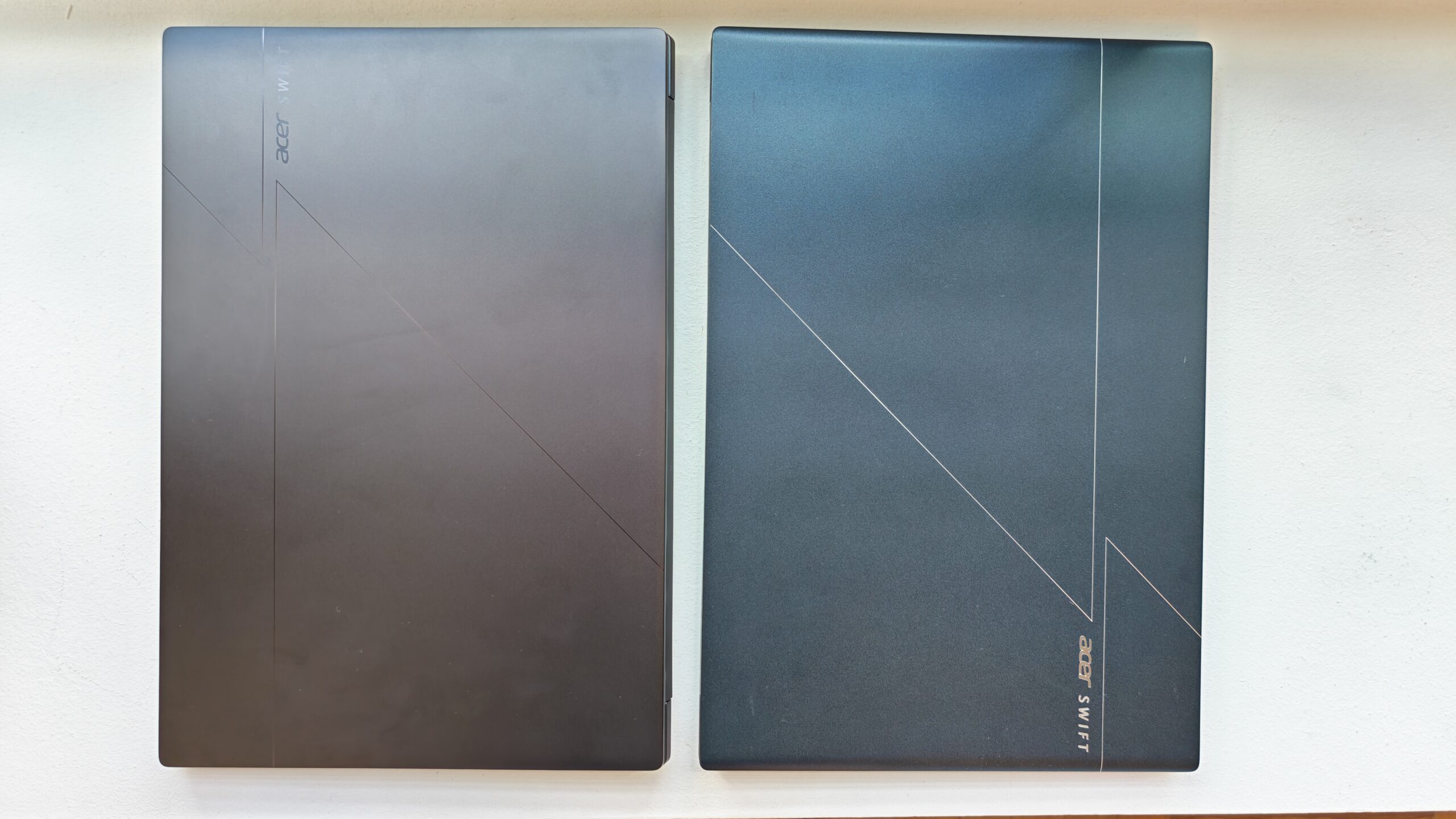
Acer Swift Go 16 (left) with its Swift Edge 16 cousin
While the Swift Go carries the same etched geometric accents on its lid as its sibling models, the laser-cut detailing is far more subdued here. In fact, the patterns are almost invisible unless viewed up close, appearing more like faint silhouettes under certain lighting. The result is a design that feels understated and minimalist rather than decorative or attention-seeking.
There is also a refined surface finish that gives the laptop a polished, premium feel. More importantly for day-to-day use, the material does an excellent job resisting fingerprint smudges, helping the Swift Go maintain its clean appearance even after extended handling.
Both the lid and underside of the laptop are constructed from aluminium. While aluminium is slightly heavier than magnesium alloys, it delivers a denser, more premium feel in the hand, giving the laptop a reassuring sense of solidity.
Meanwhile, the keyboard deck uses a magnesium-aluminium blend, helping to reduce overall weight while still maintaining structural rigidity around the typing area.
The chassis itself feels solid and well put together, with very little flex even when pressure is applied from both ends. That is particularly important in the thin-and-light category, where some laptops achieve lower weights by sacrificing structural rigidity.
Here, the Swift Go strikes a better balance. Despite its slim profile, the laptop still feels reassuringly sturdy in hand, reducing the sense that the chassis might twist or creak when carried around in a backpack, used on the move, or picked up from one corner. The added rigidity also gives the keyboard deck a firmer feel during typing, contributing to a more premium overall experience.
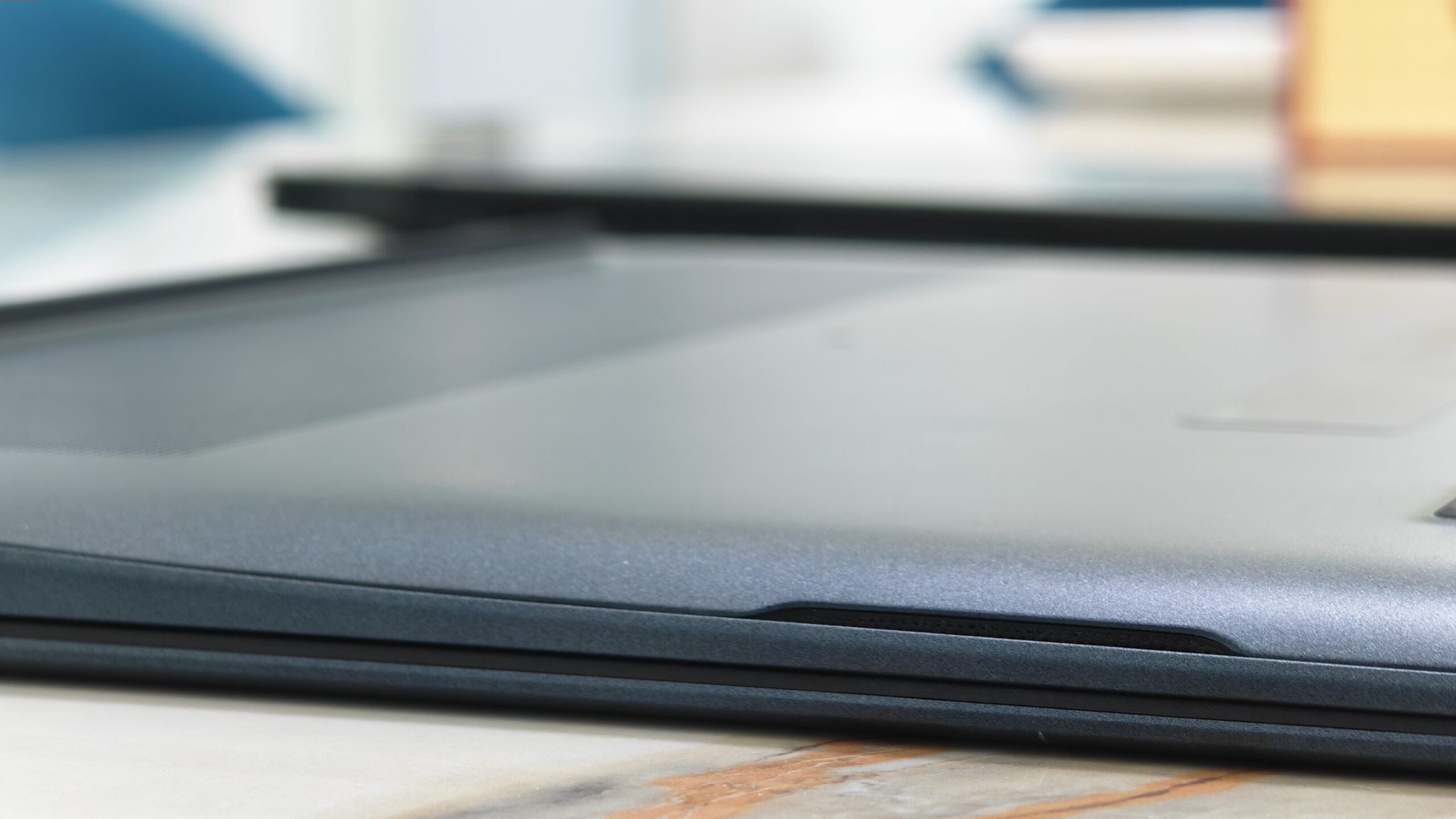
The heat vents are cleverly integrated into the laptop’s hinge area, making them almost invisible unless you know where to look. It is a thoughtful design choice that keeps the overall aesthetic clean while serving an important functional purpose – directing heat away from the user.
This matters because some poorly designed laptops place their exhaust vents along the sides, where hot air can blow directly onto your hand while using a mouse. By moving the heat exhaust toward the rear hinge, Acer avoids this problem and makes the laptop noticeably more comfortable during extended use.
Lays flat on the table
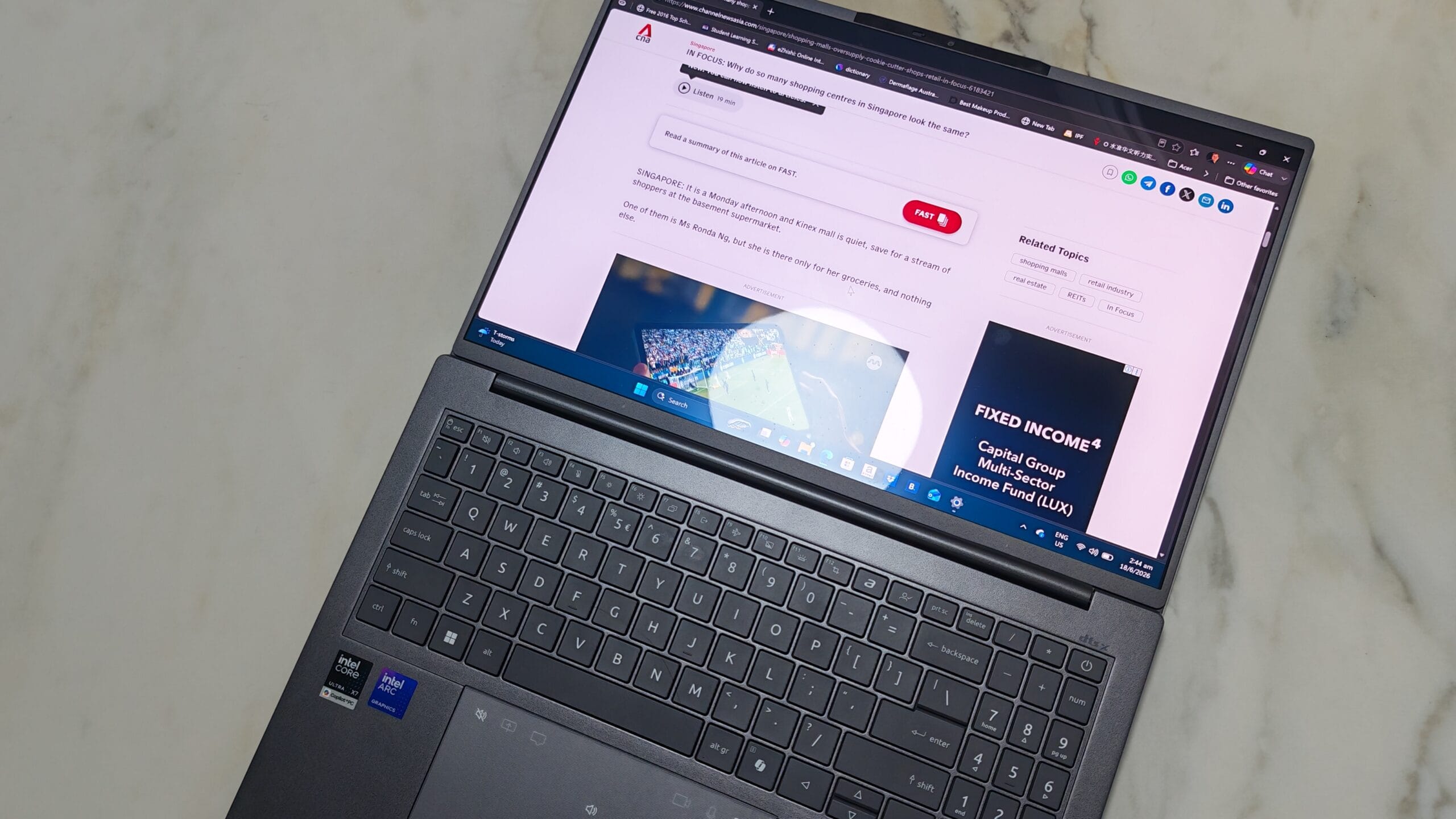 The Swift Go’s hinge opens a full 180 degrees, allowing the display to lie completely flat on a table. While this may sound like a small feature, it can be surprisingly practical in everyday use.
For instance, it makes it much easier to share content with someone seated across from you during a discussion or presentation, without having to awkwardly tilt or reposition the laptop. This can be useful when reviewing slides with a client in a café, showing photos and videos to friends, or walking a colleague through a document during a meeting.
The flat hinge design also comes in handy in tighter environments such as aeroplane tray tables or classroom desks, where adjusting the screen angle is sometimes restricted.
High-resolution OLED display, but it’s glossy
Equipped with a 3K (2880×1800) WQXGA+ OLED display, the Swift Go delivers a sharp and vibrant viewing experience that makes high-resolution videos, photos and games look especially immersive.
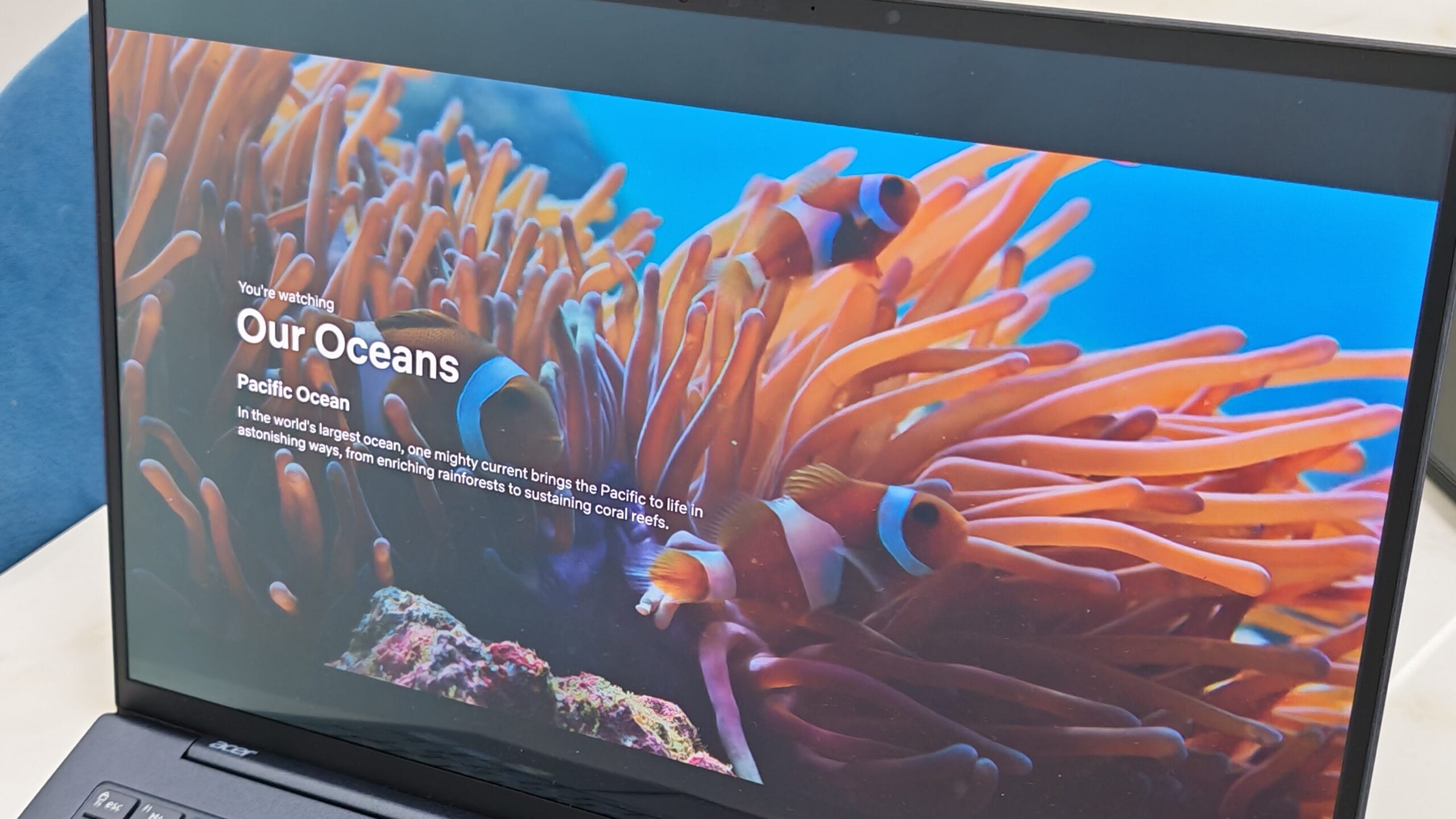
Be warned, though: once you get used to a 3K or 4K OLED panel, it becomes surprisingly difficult to return to a standard Full HD display. Text appears crisper, fine details are more defined, and OLED’s deep blacks and rich contrast make everyday content feel noticeably more lifelike.
On a compact 14-inch laptop, the jump in resolution can sometimes feel subtle due to the smaller screen size. However, on a 16-inch model, the upgrade is far more apparent. The additional screen real estate, combined with the higher pixel density, makes everything — from spreadsheets and webpages to movies and games — feel cleaner, sharper, and easier on the eyes during extended use.
I do have one gripe, though — the display uses a glossy coating, unlike the matte finish on my older Acer Swift Edge 2022.
To be fair, glossy displays do have their advantages. They tend to make colours appear richer and more vibrant, while also enhancing contrast and the inky blacks that OLED panels are known for. If you primarily use the laptop indoors for watching movies, editing photos, or gaming in controlled lighting, the glossy finish can actually make content look more visually striking.
However, I personally prefer the matte displays. They diffuse reflections far more effectively, making them generally more comfortable for long productivity sessions and outdoor use, even if colours appear slightly less punchy compared to glossy panels.
The bezels on the screen are thin, ensuring you get maximum real estate display.
Powerful stereo speakers
I remember the early days when laptop speakers produced little more than a faint whine, almost as if audio had been treated as an afterthought. Acer has clearly paid far more attention to the audio experience on the Swift Go 16.
Positioned along both sides of the laptop are horizontal-firing speakers that deliver a noticeable amount of volume and presence for gaming, movies and music. Compared to the downward-firing speakers commonly found on many thin-and-light laptops, the sound here feels fuller, stronger and more direct, with less of the muffled effect that occurs when audio is bounced off a table surface.
I usually rely on an external Jabra speaker for Zoom calls because I prefer clearer, more powerful audio reproduction, especially during group discussions. With the Swift Go 16, however, the built-in speakers are more than capable on their own.
Full-sized keyboard and trackpad — but no fingerprint ID
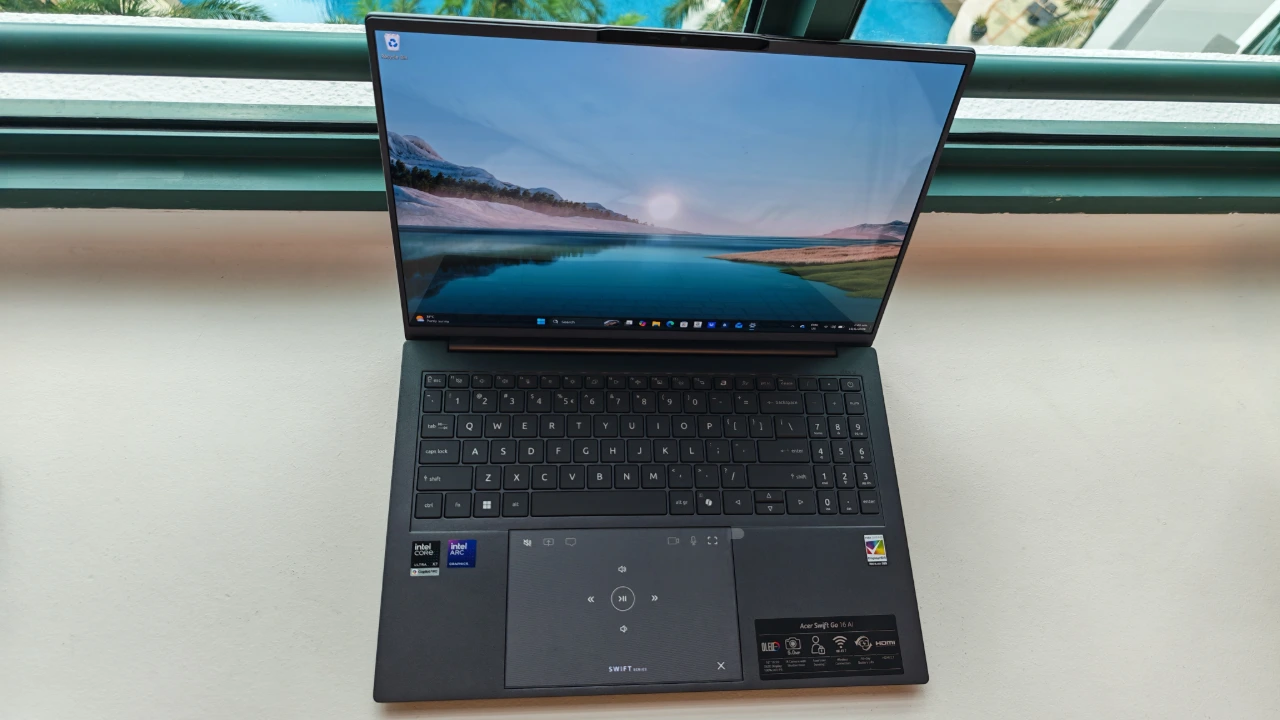
Acer has done a good job of maximising the available space on the Swift Go 16. The laptop packs in a full-sized keyboard, a spacious touchpad and even a dedicated number pad, with very little wasted room on the keyboard deck.
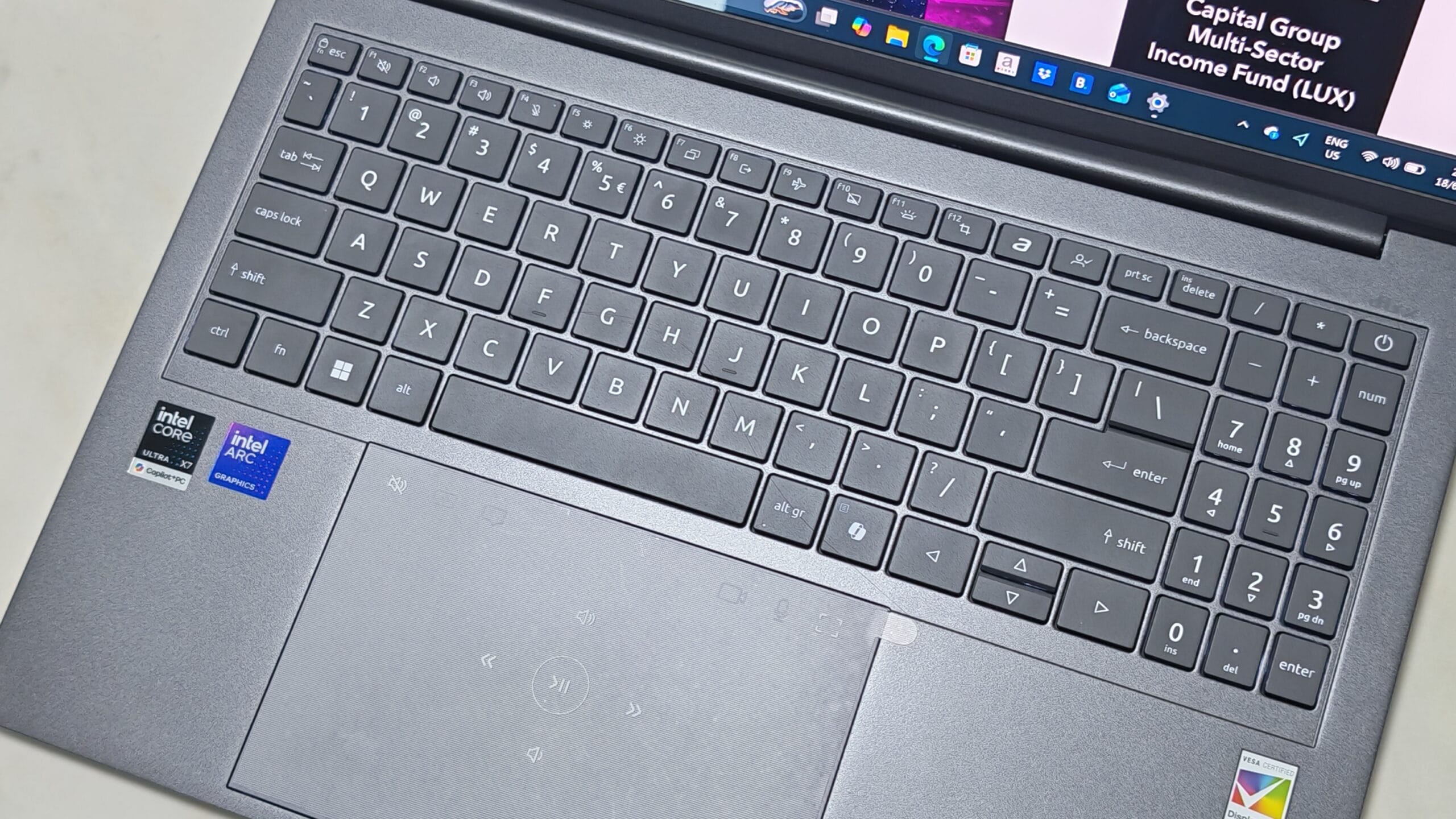 You also can’t miss the oversized trackpad, which comes with touch-enabled multimedia controls. Personally, I did not spend much time using these features as they still feel somewhat gimmicky to me, but some users may appreciate the added shortcuts.
The backlit keyboard is practical for working in dim environments, while the keys offer satisfying travel and feedback for extended typing sessions.
One omission, however, is the lack of a fingerprint reader. On my Swift Edge 2022, Acer had cleverly integrated this into the power button at the top-right corner of the keyboard. Without it, users will need to rely on facial recognition or a PIN for biometric login and security.
Twin Thunderbolt 4 ports, WiFi 7 and HDMI 2.1 FRL
The Swift Go 16 comes well-equipped on the connectivity front. Its twin Thunderbolt 4 ports give users considerable flexibility. You can charge the laptop through one port while using the other to connect to an external monitor or high-speed storage device.
If your monitor supports USB-C or Thunderbolt connectivity, a single cable can simultaneously output video to the monitor and charge the laptop. This frees up the second Thunderbolt 4 port for another accessory or even a second external display.
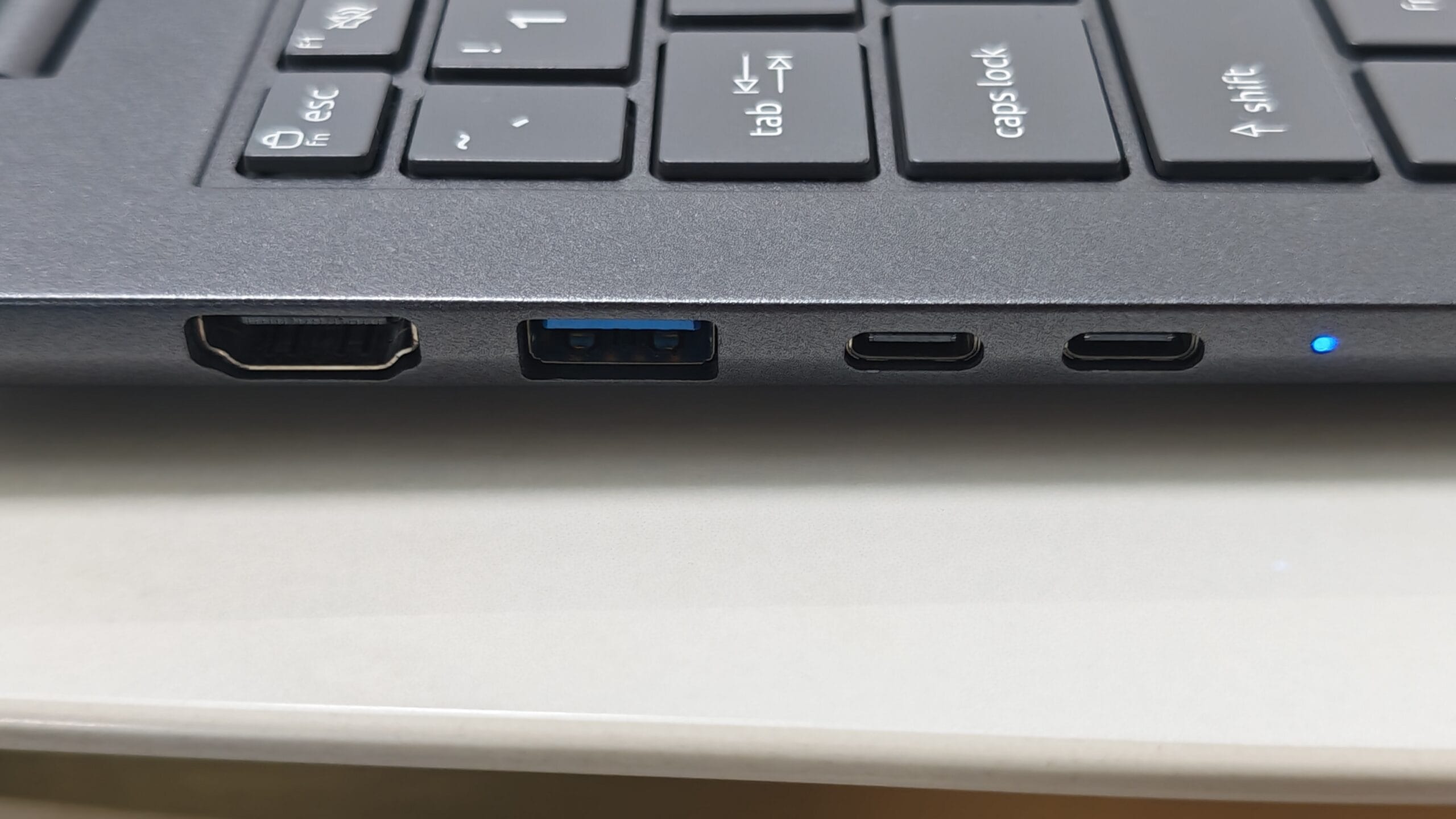 There is also a dedicated HDMI 2.1 FRL port onboard. In theory, this allows the Swift Go 16 to support up to four displays simultaneously — two via the Thunderbolt 4 ports, one through HDMI, and the laptop’s own built-in screen.
The “FRL” in HDMI 2.1 stands for Fixed Rate Link, a newer high-bandwidth signalling standard that enables support for higher-resolution and higher-refresh-rate external displays compared to older HDMI implementations.
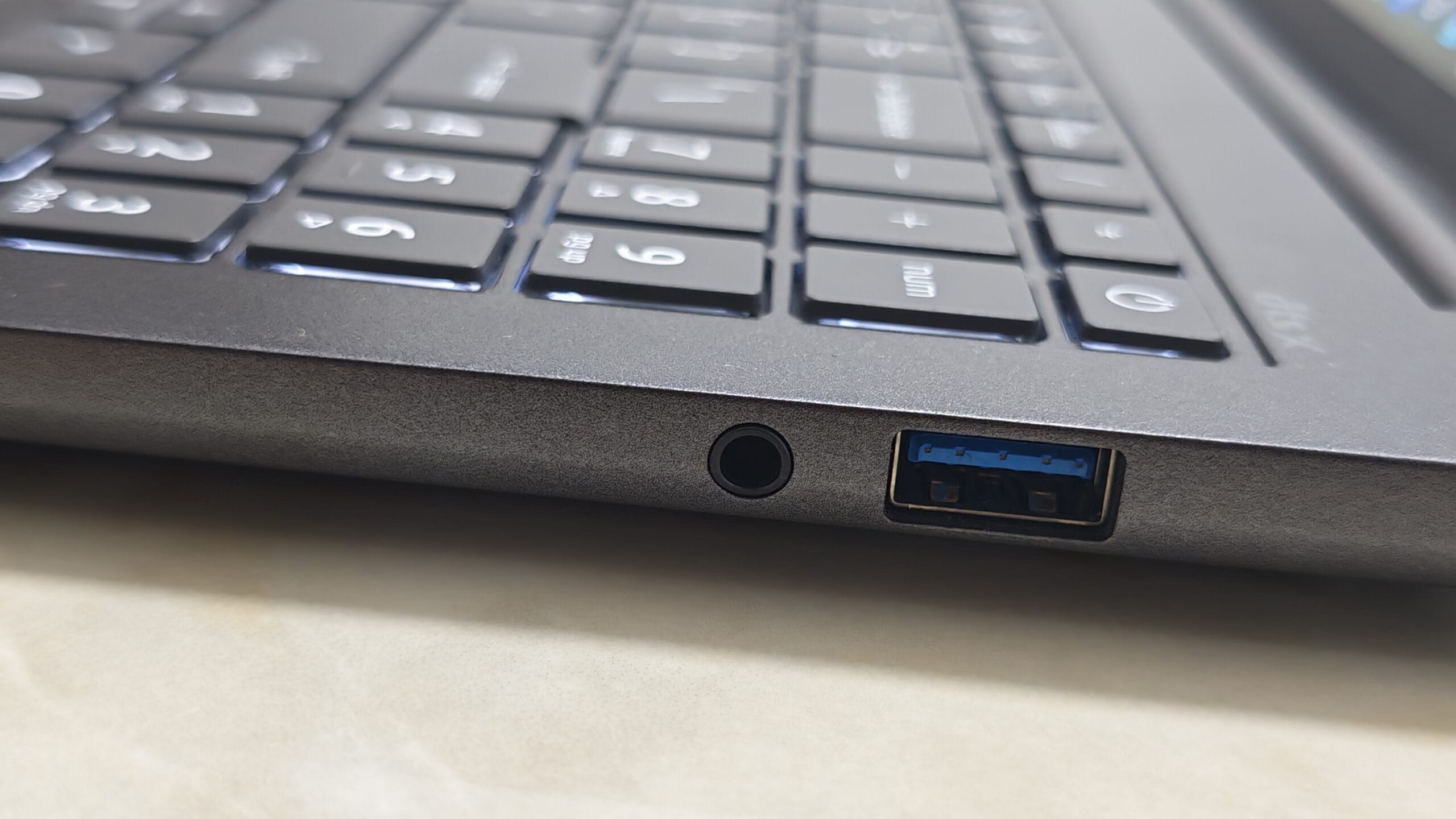
There are two standard USB-A ports, one on each side, for connecting older devices. This is important if you are holding on to a wired mouse, and having one on the left side makes it neater for right-handed mice users (vice-versa for left handers)
 For wireless connectivity, the machine also supports the latest Wi-Fi 7 standard for faster speeds and lower latency on compatible networks.
Portability + Battery Life
When choosing a thin-and-light, portability and battery life matter more than anything else. There is no point in having a laptop chock-full of features if it cannot last the day, is too bulky to slip comfortably into your bag, or is so heavy that carrying it around feels like a workout at the gym.
In the past, 16-inch laptops were an unlikely choice because they were simply too heavy. Only gamers who wanted fixed desktop-replacement gaming rigs would consider a 16-incher. But over the last few years, these 16-inchers have become a meaningful choice because of processor improvements and laptop design.
Ultra-light 16-inch laptops weighing under 1.2kg started appearing a few years ago, pushing the boundaries of portability for larger-screen machines. However, it is important not to get overly fixated on chasing the thinnest and lightest designs. In some cases, manufacturers shave off too much material to reduce weight, resulting in laptops that feel less sturdy and more prone to flex or creaking during everyday use.
At 1.36kg, the Acer Swift Go 16 is not the lightest 16-inch ultrabook on the market, but it is still a meaningful reduction from the 1.5kg-and-above weight range typical of many standard 16-inch laptops.
Part of that added weight comes from its aluminium construction. Compared to magnesium-alloy rivals, aluminium laptops tend to be slightly heavier, but they also generally feel sturdier and more premium in hand.
More importantly, the weight distribution here is well-balanced. The centre of gravity sits almost perfectly in the middle of the laptop, so when I lifted it with my fingers, the balance point felt naturally centred rather than front- or rear-heavy. That may sound like a small detail, but it makes the laptop feel lighter and more comfortable to carry around in everyday use. If you have ever held an unbalanced laptop, you will know what I mean.
The Swift Go measures 355mm x 245mm, and with the lid closed, the chassis is just 15.7mm thick. This is a good size for a 16-incher, and I could comfortably slip it into the laptop compartment of my Bellroy 28L Transit Workpack with room to spare.
I also tested its usability at the small round tables at the Starbucks outlet at Ion Orchard, and I was still able to work comfortably on it despite the limited table space. That said, the 16-inch footprint left barely enough room for my coffee mug.
Real all-day battery life
On paper, Acer claims up to 26.5 hours of video playback and up to 20 hours of web browsing on the Swift Go 16. In our own lab tests, however, the laptop lasted 10 hours 52 minutes in our looped video playback test and 8 hours 22 minutes in our looped web browsing test.
While these figures fall short of Acer’s advertised “up to” numbers — which, in my experience, is typical across the industry — they are still representative of solid real-world all-day battery life.
In practical terms, this is the kind of laptop you can comfortably bring to the office, use throughout a full workday for meetings, browsing, writing and media consumption, and still not have to worry about reaching for the charger.
The battery is rated at 71Wh, which is within the standard range for thin-and-light laptops
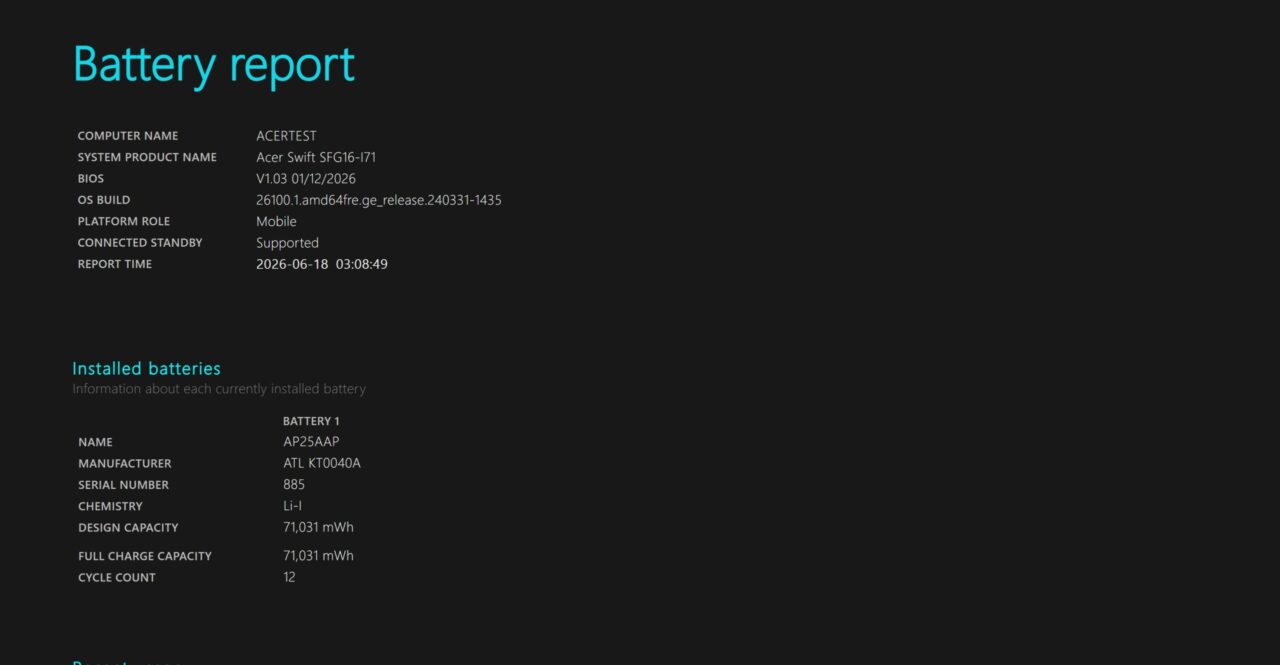
The review unit has a 71Wh battery
Gaming Performance
From my playthroughs of Diablo IV, the laptop averaged 33 frames per second (fps) at its native 2880 × 1800 resolution on battery power at high graphics settings, rising to 40 fps on the medium preset. While ultra settings remained technically playable, the average of 27 fps resulted in noticeable lag during more intense on-screen action.
In general, gameplay feels smooth at a consistent 30 fps, though most gamers aim for at least 40 fps to buffer against dips during demanding moments. From my experience reviewing gaming laptops for over 25 years, this feels like a pivotal moment for thin-and-light machines — ones that offer strong battery life yet can double as credible gaming devices.
Until recently, it was a trade-off: go light and accept a flimsy machine, or go powerful and carry the weight — along with the battery drain. The shift is being driven by new system-on-chip technology such as Intel’s new Core Ultra Series 3 “Panther Lake” processors, which pack graphics performance that is finally “good enough” for mainstream gaming, without the need for a discrete GPU that adds bulk and battery drain.
But power is only half the equation — the real breakthrough is how efficiently that performance is delivered. I measured the battery drain by playing the graphics-intensive Infernal Hordes run in Diablo IV for 30 minutes on medium graphics settings at 2880 x 1800 resolution. After half an hour, the battery was still at 55 per cent, which means that it can likely last over an hour of intense gaming.
I did the same test with the less intense Slay The Spire 2 strategy game and was pleased to see it still had 80 per cent battery life after half an hour of play. While playing Slay The Spire 2 at its highest graphics settings was silky smooth on this new machine, it is worth noting that on my four-year-old Acer Swift Edge 16 (2022) ultraportable, I experienced considerable lag by comparison.
I also compared the frame rates when plugged in and found no noticeable drop in fps when it ran on battery – this itself is a technological feat worth celebrating.
I also put the machine through Cyberpunk 2077’s built-in benchmark. Running on native mode without Intel’s Xe Super Sampling (XeSS) — Intel’s AI-powered graphics upscaling technology — the frame rates were not stable enough for play at the native 3k resolution. At medium settings, the machine could only achieve an average of 26fps in the internal benchmark test.
However, when I turned on XeSS — which renders the game natively at a lower resolution and then upscales it using AI — the frame rates improved dramatically, hitting an average of 50 fps at medium settings and a respectable 36 fps at high settings. I have not tested XeSS sufficiently to conclude whether there are any drawbacks to playing games with XeSS enabled, but that is a test I might do for another article.
Traditional gaming laptops with top-tier dedicated GPUs are often extremely noisy, as their cooling systems have to work overtime to manage the heat generated by the graphics chip. By comparison, the Acer Swift Go 16 running on Intel’s integrated Arc B390 GPU was surprisingly quiet.
While the integrated graphics are not a match for high-end dedicated mobile GPUs, Intel’s new Core Ultra Series 3 processors with the integrated Arc B390 GPUs are enabling a new breed of “powerful-enough” mobile gaming laptops — machines capable of handling moderate gaming workloads without sounding like a jet engine in full afterburner.
Test results
These figures are from the tested configuration and should be read as practical reference points, not universal results. Battery life and frame rates will vary with brightness, settings, workload and power mode.
Battery life
| Test | Result | Takeaway |
|---|---|---|
| Web browsing | 8h 22m | Battery life tests show that the laptop will last a full day of regular office work, browsing and streaming. Gaming on battery is possible, but heavier titles will still drain the laptop. |
| Offline video playback | 10h 52m | |
| Diablo IV battery drain | 55% left after 30m | |
| Slay the Spire II battery drain | 80% left after 30m |
Gaming performance matrix
| Game | Test condition | Key results | Takeaway |
|---|---|---|---|
| Diablo IV |
On battery
Integrated graphics
Native and 1080p tests without upscaling emphasis. |
| The Arc B390 is not a discrete gaming GPU replacement, but it can handle lighter titles and some demanding games when settings, resolution or XeSS are used properly. |
| Cyberpunk 2077 |
Plugged in
XeSS tested on/off
Native and 1080p tests show how much upscaling changes the experience. |
|
Detailed results
Open this section for the full frame-rate ranges, settings and test conditions behind the gaming summary.
Diablo IV
| Resolution | Setting | Upscaling | Result |
|---|---|---|---|
| 2880 × 1800 | Medium | Off / not used | 35–45fps, avg 40fps |
| 2880 × 1800 | High | Off / not used | 30–40fps, avg 33fps |
| 2880 × 1800 | Ultra | Off / not used | 25–35fps, avg 27fps |
| 1920 × 1080 | Medium | Off / not used | 70–80fps, avg 76fps |
Cyberpunk 2077
| Resolution | Setting | Upscaling | Result |
|---|---|---|---|
| 2880 × 1800 | Medium | XeSS off | 22–31fps, avg 26fps |
| 2880 × 1800 | Medium | XeSS on | 41–60fps, avg 50fps |
| 2880 × 1800 | High | XeSS off | 19–26fps, avg 22fps |
| 2880 × 1800 | High | XeSS on | 31–43fps, avg 36fps |
| 1920 × 1080 | Medium | XeSS off | 46–66fps, avg 55fps |
| 1920 × 1080 | Medium | XeSS on | 65–93fps, avg 78fps |
Frame-rate ranges reflect observed variation during testing. Average figures are included to make the results easier to compare.
Verdict
Acer Swift Go 16 (2026)
The Acer Swift Go 16 is proof that the era of portable PC gaming has arrived. Intel's Core Ultra 3 processors bring enough graphics horsepower to play many modern games on a laptop weighing just 1.36kg, while its excellent OLED display and long battery life make it equally adept as a work machine. Unless you need the raw power of a discrete graphics card, this is one of the most compelling thin-and-light laptops you can buy today.
- Pros large OLED screen, light body, gaming-grade integrated graphics
- Caveats no discrete GPU, so heavy 3D work and ultra serious AAA gaming are out