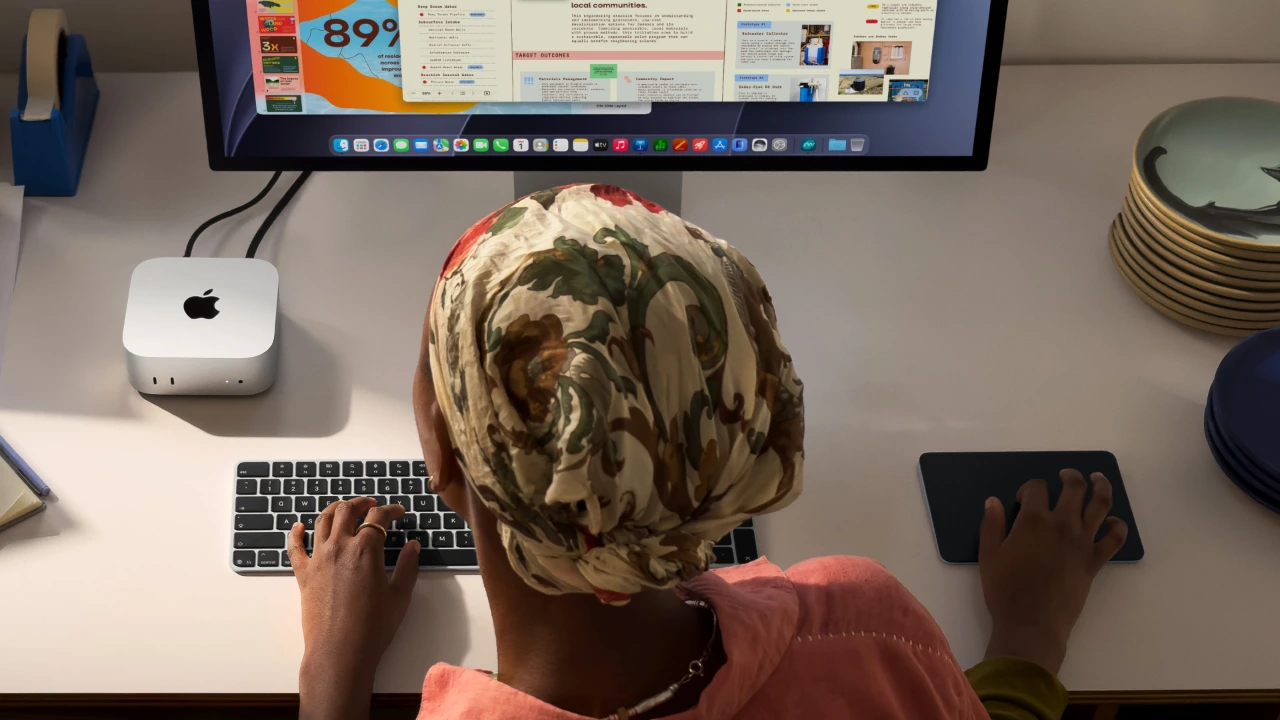
Apple has officially given its smallest desktop a second job. The new M6 and M5 Pro Mac minis are predictably faster, but this time, Apple is also pitching them for “always-on agentic computing”.
The M6 gets Neural Accelerators in every GPU core and, in Apple’s LM Studio testing, up to 4.8 times the M4’s LLM prompt-processing performance. The M5 Pro goes further with up to 64GB of unified memory, 307GB/s of memory bandwidth, and Thunderbolt 5, which Apple is now explicitly promoting for a use case enthusiasts and developers were already experimenting with: clustering several Mac minis to run larger AI models.
So what would an always-on AI Mac actually do — and how much Mac mini do you need?
The AI on your Mac is not quite the ChatGPT you know
The best versions of ChatGPT, Claude and Gemini are frontier models running on enormous cloud infrastructure. What you can realistically download and run on a local host, like a Mac mini, is generally smaller.
Local AI performance varies enormously by model; by how heavily it’s compressed (quantisation), how much information it handles at once, among other things.
These are often called open-source models, though open-weight is the more accurate description for many of them: you can download the trained model, run it on your own hardware and, in many cases, fine-tune or modify it yourself.
Efficient open-weight models today are more than just chatbots, and they take up less space. For illustration’s sake, 16GB roughly gets you a useful, GPT-3.5-class everyday AI assistant (and basic OpenClaw tasks), around 64GB gets you into original GPT-4-class territory, while current near-frontier open-weight models can require well over a terabyte of memory.
In fact, these models are increasingly designed around everyday machines. For example, Meta’s recent release, Muse Glimmer, is a 30-billion-parameter model (30 billion learned information patterns) designed for local agents, including reasoning, coding, and multimodal use such as processing screenshots and documents, etc. It fits within the 24GB-to-32GB memory range of a typical well-specced consumer computer, and yet, based on internal testing, it scores 51.2 per cent on SWE-Bench Pro (versus 64.6 per cent on the frontier model, GPT-5.6 Sol), a difficult software-engineering benchmark.
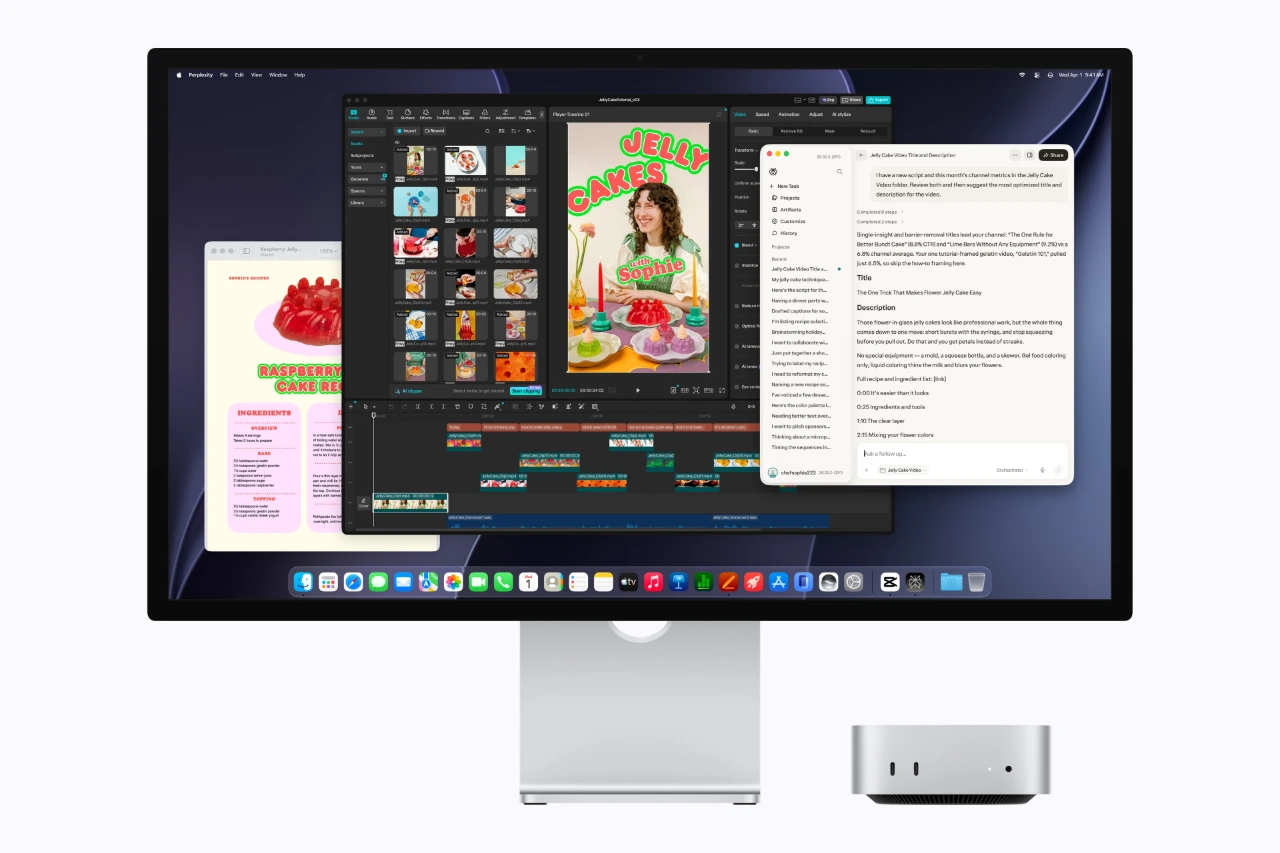
Mac mini can run on-device AI tasks like applying style effects to photos, running local models, or creating AI agents that automate daily tasks. Apple
While that looks like a considerable gap on paper, we’re talking about a model small enough to run on a desktop — and it is in the same conversation as a frontier model running on data-centre infrastructure.
The on-device AI movement is gaining momentum because we’re realising the most capable model isn’t always the best model for a job, especially when speed, cost, and predictable behaviour within a narrow scope matter more. You do not need frontier-level reasoning to sort documents, search files, transcribe meetings, run routine coding jobs or carry out well-defined automated tasks.
Plus, a local model setup keeps sensitive material on your own hardware and avoids extra usage fees typically incurred by calling on paid cloud AI services.
A 32GB M6 is the sweet spot for personal use
Why are Mac minis so often touted for AI when they seem no different from regular PCs, and high-end graphics cards represent the pinnacle of speed?
Part of the answer is Apple’s unified memory architecture — a single memory pool shared by the CPU and GPU. For context, a desktop with conventional dual-channel DDR5-6000 RAM offers about 96 GB/s of theoretical memory bandwidth; the M6 reaches 170 GB/s with 32GB RAM.
Memory bandwidth determines how quickly the chip can move data to and from that memory pool. For large AI models, the pool size matters too.
Muse Glimmer’s smallest current package is about 26GB, and that puts a genuinely useful coding, research, and tool-using local agent within reach on a 32GB Mac, although it is admittedly a bit of a stretch and a smaller model might be more useful. You also need RAM for task context and background apps. Too little, and you’ll either have to shorten the context or watch the Mac swap to storage and slow dramatically.
In other words, RAM availability restricts what models you can run, which means that the 16GB/24GB M6 (and arguably the 24GB M5 Pro) are more for everyday computing, though they can still run simple always-on AI jobs with a smaller model; 16GB is a decent size for an OpenClaw assistant.
M5 Pro: starting point for a serious coding agent
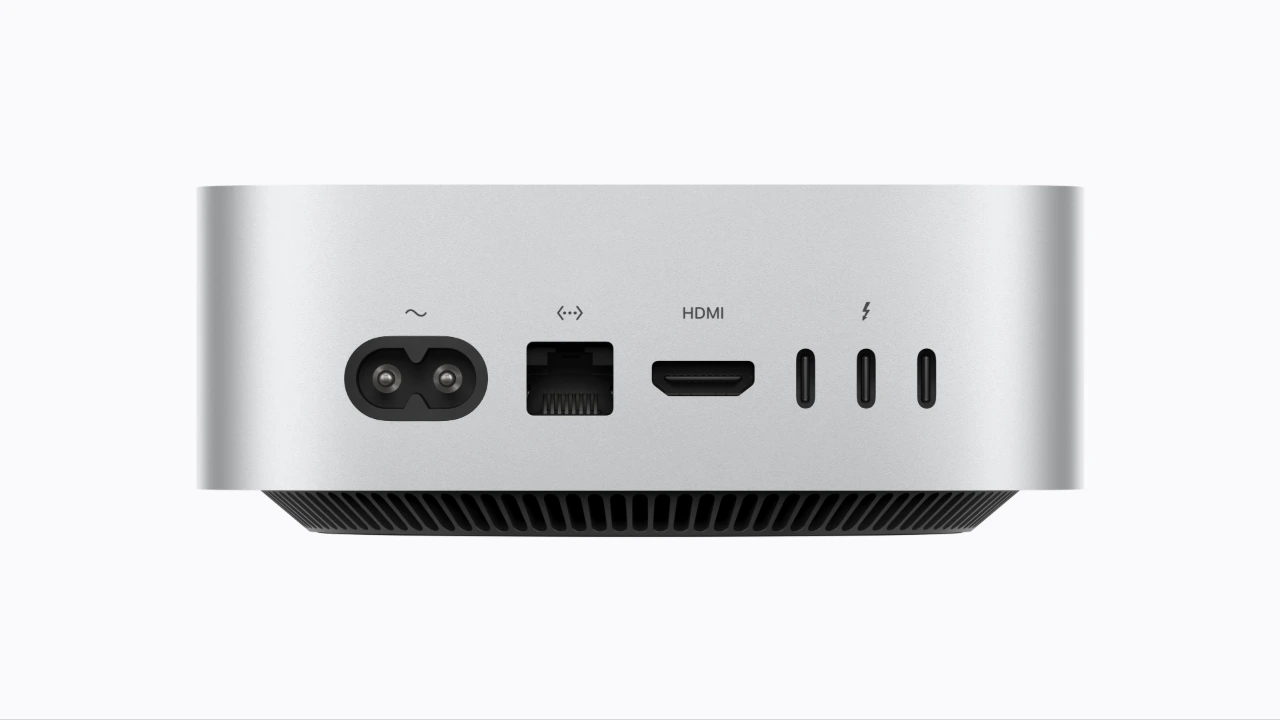
The new Mac mini supports Wi-Fi 7 and Bluetooth 6, with 2.5Gb Ethernet standard and 10Gb Ethernet available to configure. Apple
The M5 Pro raises the memory ceiling to 64GB (24/48/64GB options) and bandwidth up to 307GB/s. It also replaces the M6’s Thunderbolt 4 ports with three Thunderbolt 5 ports.
The extra memory immediately opens up possibilities. Qwen3-Coder-Next, for example, is a useful current baseline for serious local agentic coding and autonomous development loops. Its smallest reliable setup needs at least 42GB of system memory, making the 48GB M5 Pro almost the bare-minimum configuration, although 64GB is frankly the realistic option.
This reinforces the fact that the M6 32GB represents a comfortable target for a capable personal local agent, provided you choose the model accordingly. Only with the M5 Pro 48GB/64GB can you realistically consider running larger models for autonomous software development.
Key specs
Mac mini M6 vs M5 Pro
| M6 | M5 Pro | |
|---|---|---|
| CPU | 12-core | 15-core; configurable to 18-core |
| GPU | 12-core | 16-core; configurable to 20-core |
| Unified memory | 16GB; configurable to 24GB or 32GB | 24GB; configurable to 48GB or 64GB |
| Memory bandwidth | 153GB/s standard; up to 170GB/s on higher-memory configurations | 307GB/s |
| Storage | 256GB SSD; configurable up to 2TB | 512GB SSD; configurable up to 8TB |
| Rear Thunderbolt | 3 × Thunderbolt 4, up to 40Gb/s | 3 × Thunderbolt 5, up to 120Gb/s |
| Front ports | 2 × USB-C (USB 3 up to 10Gb/s); 3.5mm headphone jack | 2 × USB-C (USB 3 up to 10Gb/s); 3.5mm headphone jack |
| Ethernet | 2.5Gb Ethernet; configurable to 10Gb Ethernet | 2.5Gb Ethernet; configurable to 10Gb Ethernet |
| Wireless | Wi-Fi 7; Bluetooth 6; Thread | Wi-Fi 7; Bluetooth 6; Thread |
| External displays | Up to 3 | Up to 3 |
| Size | 12.7 × 12.7 × 5.0cm | 12.7 × 12.7 × 5.0cm |
| Weight | 0.67kg | 0.73kg |
| Starting price (Singapore) | SGD 1,299 | SGD 2,499 |
One big Mac Studio, or several minis?
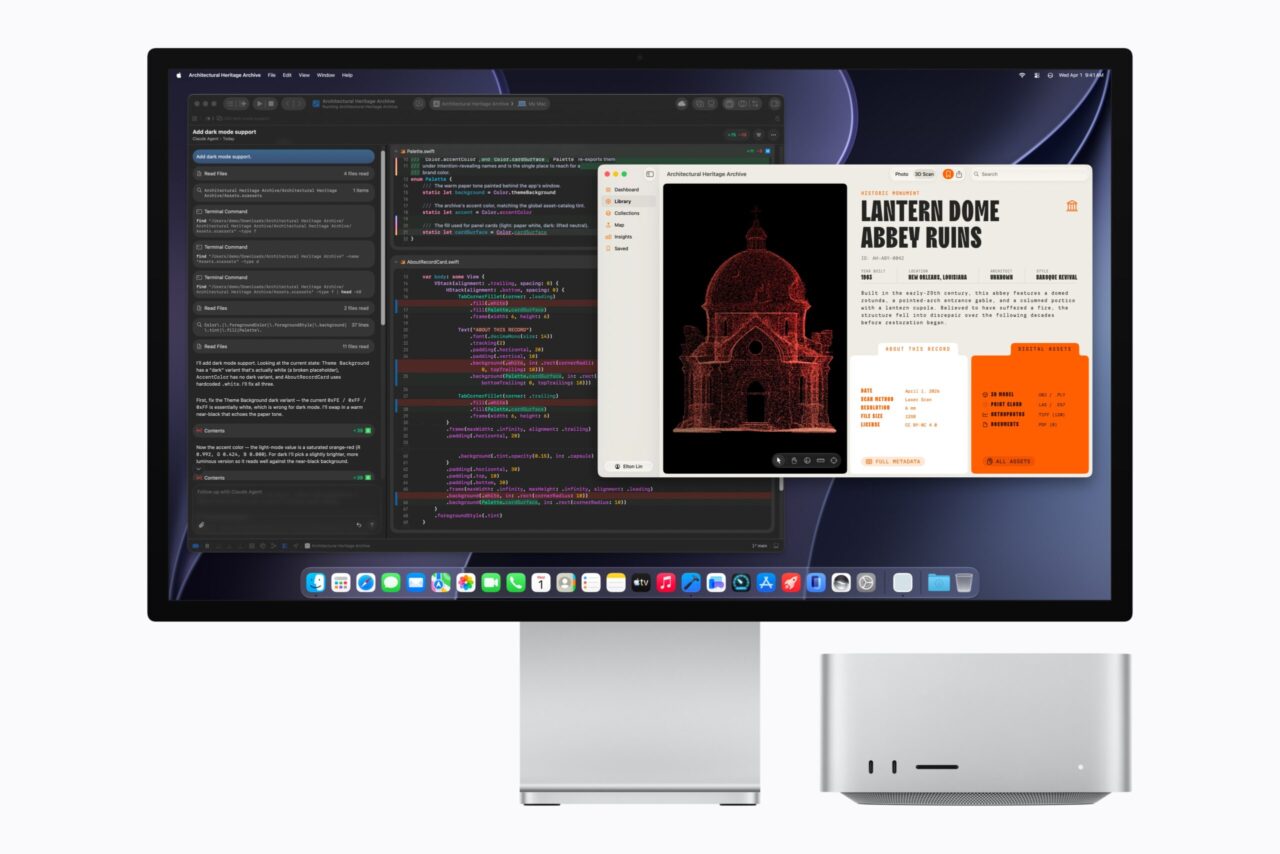
Run heavier local AI workloads with M5 Ultra supporting up to 512GB of unified memory. Apple
Once you hit the limits of 64GB, that’s when things start getting serious. This is where the new Mac Studio comes in if you’re staying in the Apple ecosystem. The M5 Max supports up to 128GB of unified memory at 614GB/s, while the M5 Ultra supports up to 512GB and 1.2TB/s. Prices start at SGD 3,499 for the M5 Max and SGD 7,999 for the M5 Ultra.
But not everyone needs a high-end option, so clustering several Mac minis or Studios together is a viable alternative. While this isn’t new — it’s one reason Mac minis became popular among enthusiasts — Apple’s new macOS 26.2 update also improves low-latency performance for devices with Thunderbolt 5 ports, including older models like the M4 Pro mini.
Apple’s MLX framework for running LLMs now includes JACCL (Jack and Angelos’ Collective Communication Library), which uses RDMA (Remote Direct Memory Access) over Thunderbolt 5 to let several Macs exchange AI data much more efficiently.
For a single model that fits within 128GB, one Mac Studio is faster and simpler than splitting it across two 64GB minis. That said, multiple devices can be more useful, depending on your application.
For instance, you may have one device running a queue of coding tasks all day, while the other handles research, transcription, and an assortment of smaller assignments. Occasionally, an unusually demanding job appears, and you simply use a bigger model and spread the work between them. Afterwards, they go back to their usual routine.
Also note that while you can certainly cluster M6 minis with only Thunderbolt 4, they are better suited to background or off-peak tasks where latency matters less.
When do you pick a Mac mini or Studio over the rest?
Choosing between AI-centric hardware for local open-weight models is essentially a balancing act between capacity, speed and cost.
GPUs for rendering 3D graphics are often favoured for speed, as the hardware is optimised for massive data movement, heavy matrix math, and parallel computing. NVIDIA’s CUDA software ecosystem has also become the de facto industry standard for GPU-accelerated AI. But mainstream graphics cards have their drawbacks.
An NVIDIA GeForce RTX 5090 graphics card, for example, has 32GB of VRAM — memory dedicated specifically to the graphics processor — and a staggering 1,792 GB/s of memory bandwidth. If your model fits in the onboard 32GB VRAM, Nvidia’s discrete-GPU approach is considerably faster than a Mac mini, and you still have system RAM ‘reserved’ for your background apps. The downside? Its 32GB of VRAM is akin to a Ferrari with a Coke can for a fuel tank.
A more common (and affordable) GPU like an RTX 4060 Ti gives you 16GB of fast VRAM at 288GB/s, which is numerically close to the M5 Pro’s 307GB/s, but with only a quarter of the maximum 64GB memory capacity. The best of both worlds comes at a high cost: the RTX Pro 6000 Blackwell combines 96GB of graphics memory with roughly 1.8TB/s of bandwidth and costs roughly four times as much as an RTX 5090 — this is enterprise territory.
The more reasonable alternative? Specialised systems that trade discrete-GPU speed for much larger shared memory pools, which is a higher-priority problem. For example, AMD’s Ryzen AI Max+ 395 is closer in spirit to the Mac Studio: a high-end general-purpose x86 platform with up to 128GB of shared memory for local AI, and costs roughly SGD 5,399 onwards for fully-built systems. Nvidia’s DGX Spark is more purpose-built, pairing 128GB of unified memory shared by its CPU and Blackwell GPU with Nvidia’s CUDA software stack and 200Gb/s ConnectX-7 networking for linking multiple systems. It’s also considerably more expensive at SGD 8,499.
These made-for-purpose options only serve to highlight the appeal of a Mac mini/Studio: an everyday computer with the combination of a useful amount of unified memory in a small general-purpose computer, AI software optimisation (MLX), and the ability to ‘scale’ across several Macs.
Local-AI archetype | Representative hardware | Memory | Best suited to | Main compromise |
|---|---|---|---|---|
Personal AI computer | M6 Mac mini | Up to 32GB unified | Private assistant, documents, coding and routine agents alongside normal Mac use | 32GB ceiling; no TB5/RDMA cluster path |
Compact higher-memory workstation | M5 Pro Mac mini | 48–64GB unified | Larger local agents, private coding/research and always-on professional use | Much less raw throughput than high-end Nvidia |
High-capacity shared-memory PC | Ryzen AI Max+ 395 | Up to 128GB shared | Large local models where capacity matters more than maximum GPU speed | AI software stack less mature than CUDA |
Maximum consumer-GPU throughput | GeForce RTX 5090 PC | 32GB VRAM | Models that fit in VRAM and need maximum speed | 32GB fast-memory ceiling |
Compact specialised AI appliance | Nvidia DGX Spark | 128GB shared | Larger models with Nvidia’s mature AI software stack and specialist networking | More specialised than a general desktop |
Large Apple AI workstation | Mac Studio M5 Ultra | Up to 512GB unified | Huge models, large datasets and high-capacity single-machine AI | Much higher price |
Professional high-throughput workstation | RTX Pro 6000 Blackwell | 96GB VRAM | Large models and very high throughput | Extreme cost and power requirements |
Scale-out AI infrastructure | Multiple networked systems | Distributed | Several independent workers and jobs split across multiple computers | More networking and software complexity |
In summary, the M6 has the ‘range’ for a competent personal AI worker and ‘local ChatGPT’. If you want more capable autonomous coding agents, the 48GB M5 Pro is the entry point and 64GB the more realistic target. Consider the Mac Studio when the model or workload itself becomes substantially larger.
Apple is far from the only option in this space. But available alternatives are often more expensive or require more expertise and effort to put together, especially at the ‘entry-level’.
The new lineup is a timely reminder of why the Mac mini and Studio will likely remain popular: they’re a relatively approachable, reasonably priced option for the inexperienced, and a power-efficient setup for enthusiasts with a lower total cost of ownership.
The new Mac mini with M6 (from SGD 1,299), Mac mini with M5 Pro (from SGD 2,499) and Mac Studio (from SGD 3,499) are available to pre-order, with availability starting from 22 September 2026.